Welcome to the Product Buy Tracker App Guide
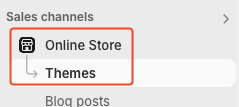
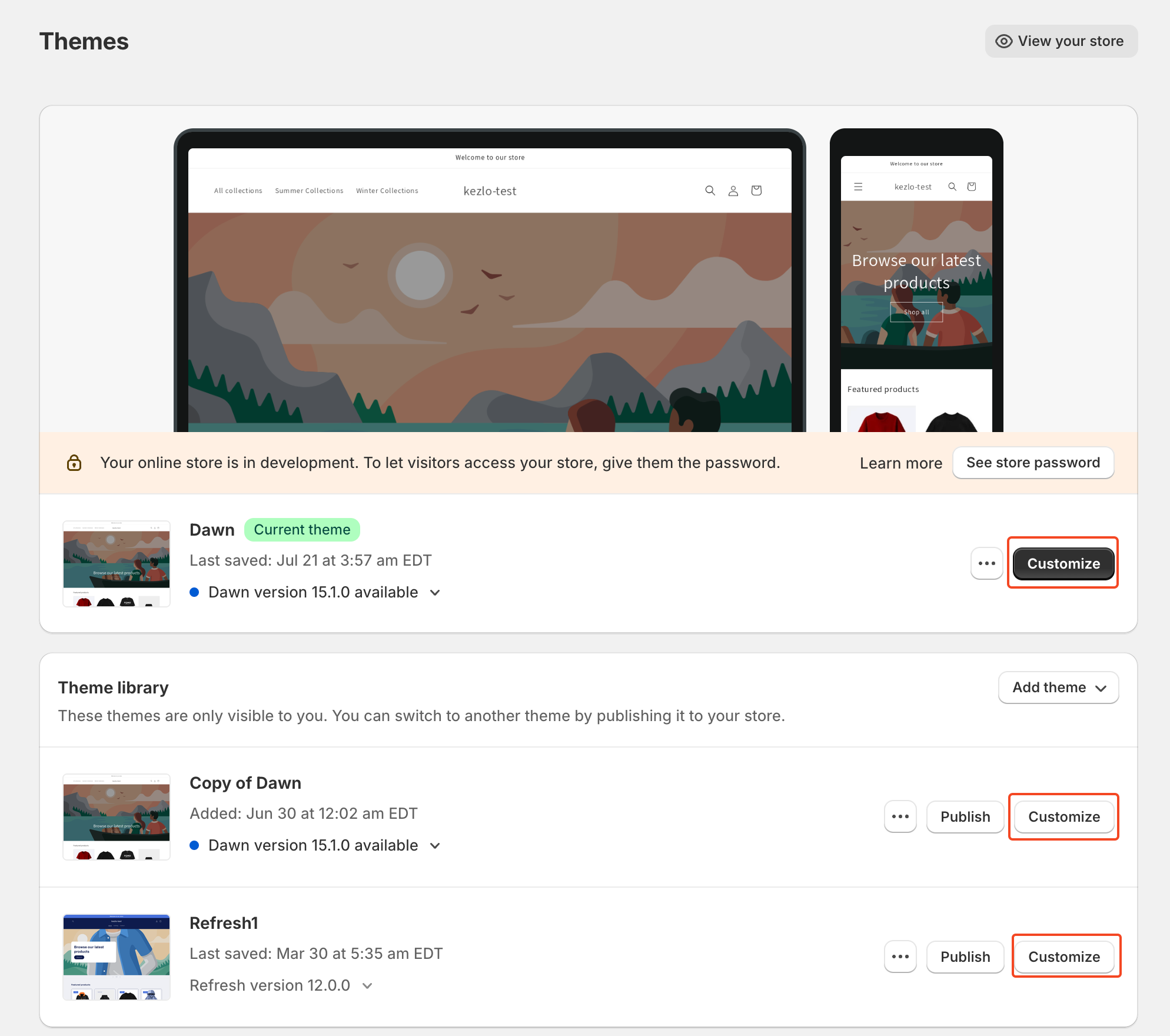
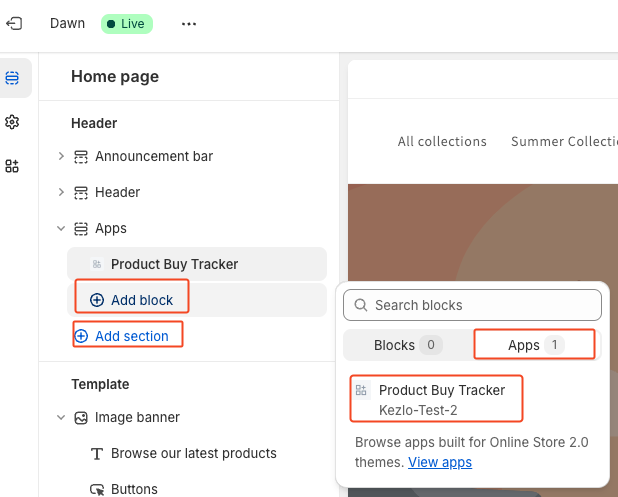
If you don't have Apps section, Select Add section in Header.
If you've already had Apps section, select Add block
Choose Apps, then find Product Buy Tracker
Add Product Buy Tracker to Header by click app
App will be visible in Collections and Product page
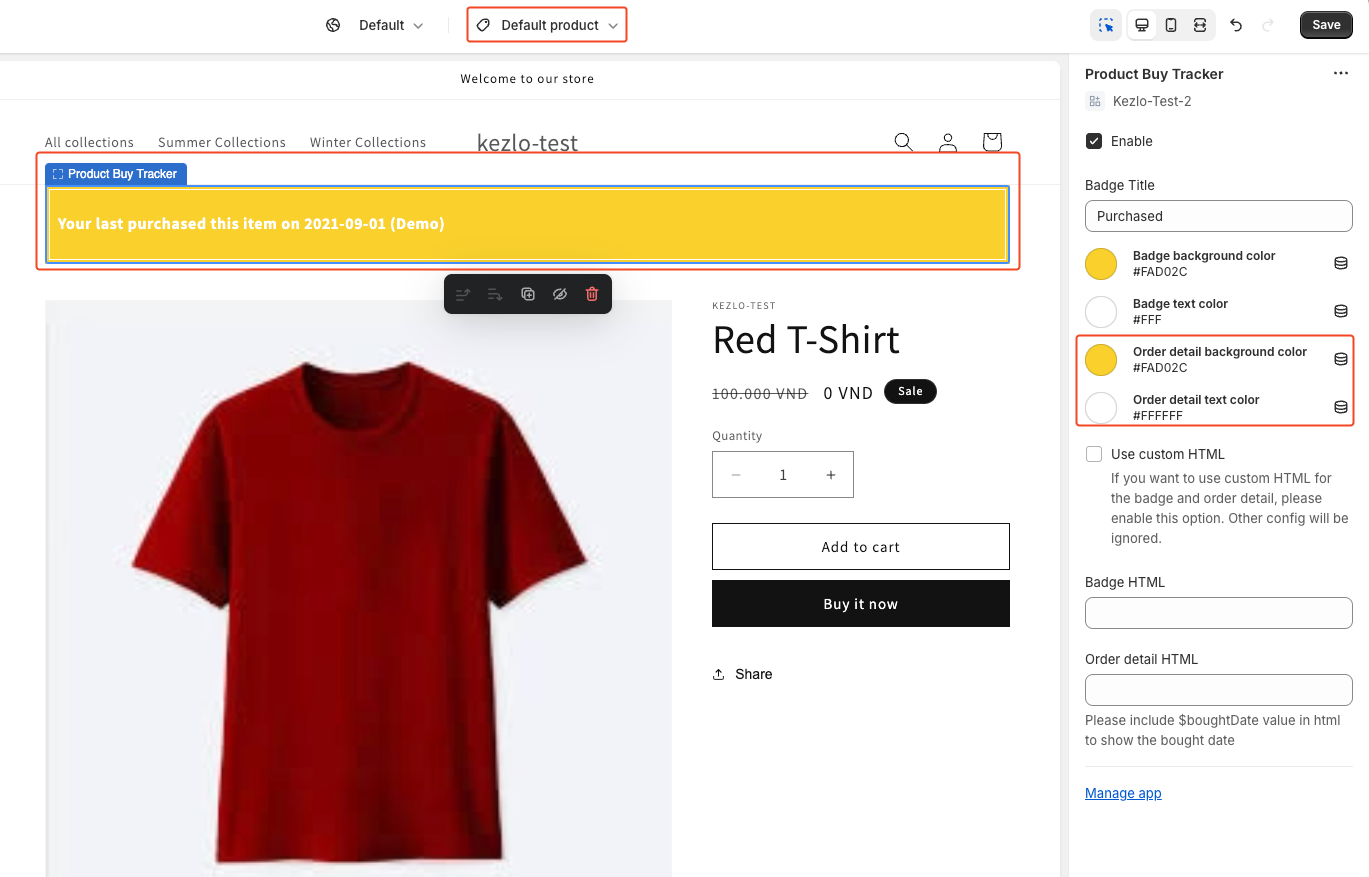
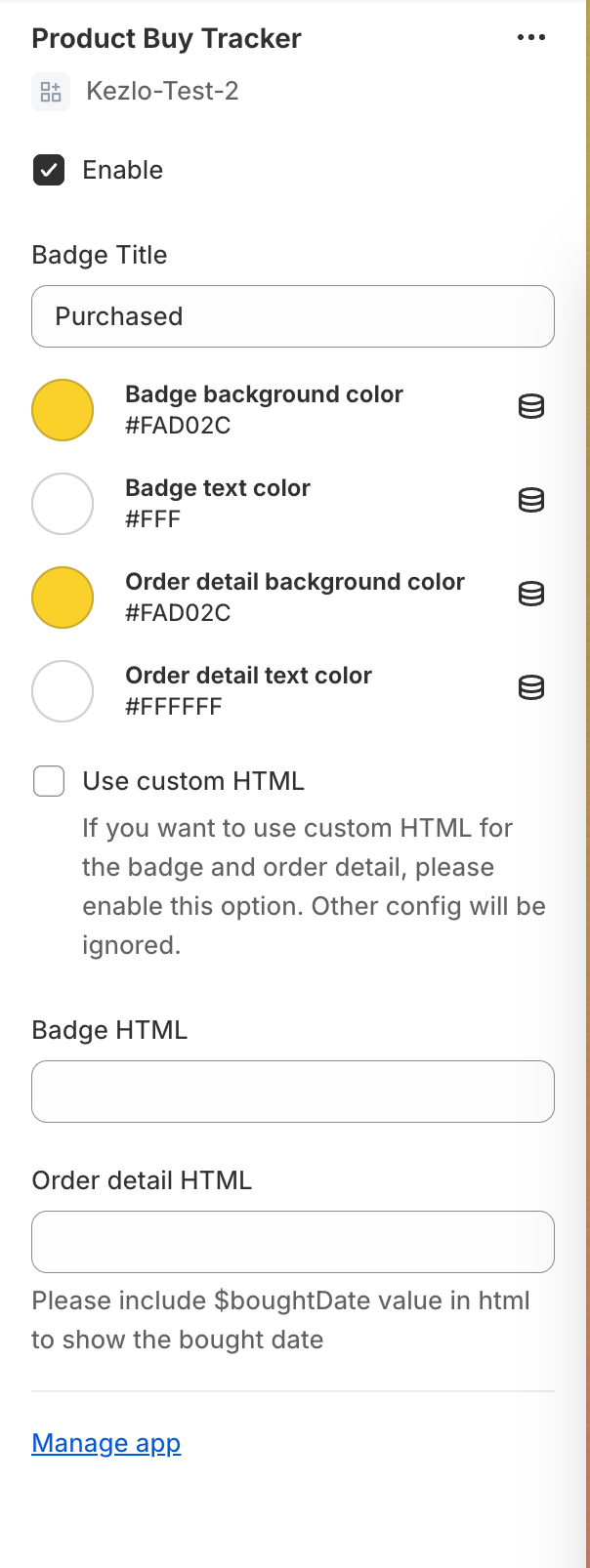
Below is app setting. It contains setting for both Collections and Product page
- Enable: To enable badge and banner
- Badge Title: Title for badge showed in Collections page
- Badge background color: Background color of badge showed in Collections page. Default: #FA02C
- Badge text color: Text color of badge showed in Collections page. Default: #FFF
- Order detail background color: Background color of order detail banner showed in Product page. Default: #FFF
- Order detail text color: Text color of order detail banner showed in Product page. Default: #FFF
- Enable: Use custom HTML instead of default. Select this will use below HTML. Unselect it to use our default badge and detail banner
- Badge HTML: Custom HTML for badge showed in Collections page. Enable Use custom HTML to use this
- Order detail HTML: Custom HTML for order detail banner showed in Product page. Please include $boughtDate value in html to show the bought date. Enable Use custom HTML to use this
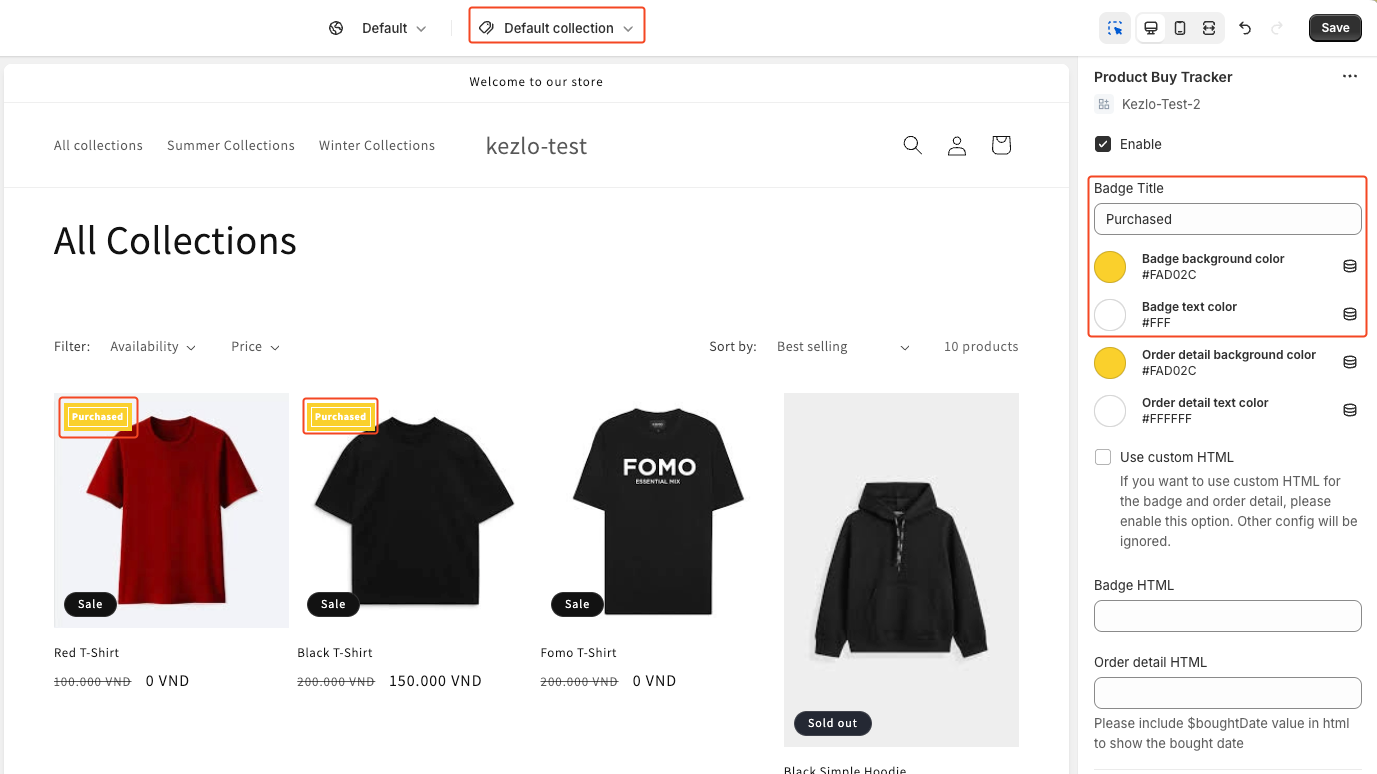
App will generate badge for which product has been bought by login customer.
You can use setting to change color and text of badge.
In below picture is demo version for theme customize.
App will generate banner in Product page with bought date for which product has been bought by login customer.
You can use setting to change color and text of banner.
In below picture is demo version for theme customize.